07. MCP로 Kiro 확장하기
Model Context Protocol(MCP) 서버를 연결해 Kiro에 장기 기억과 단계적 사고 같은 새로운 능력을 더해 봅니다.
이번 모듈에서 배우는 것
Kiro는 기본 기능만으로도 충분히 강력하지만, MCP 서버를 통해 외부 도구와 데이터, 새로운 행동 양식을 자유롭게 붙일 수 있습니다. 이번 장에서는 두 개의 MCP 서버를 등록하고, steering 파일과 결합해 Kiro의 작업 패턴 자체를 바꿔 봅니다.
1단계 — MCP 서버 설정하기
Kiro에는 MCP 클라이언트가 내장되어 있습니다. 좌측 사이드바에서 Kiro의 "ghost" 탭을 열고 목록에서 MCP Servers를 찾은 뒤 + 버튼을 눌러 새 서버를 추가합니다. 그러면 mcp.json 편집 화면이 열립니다.
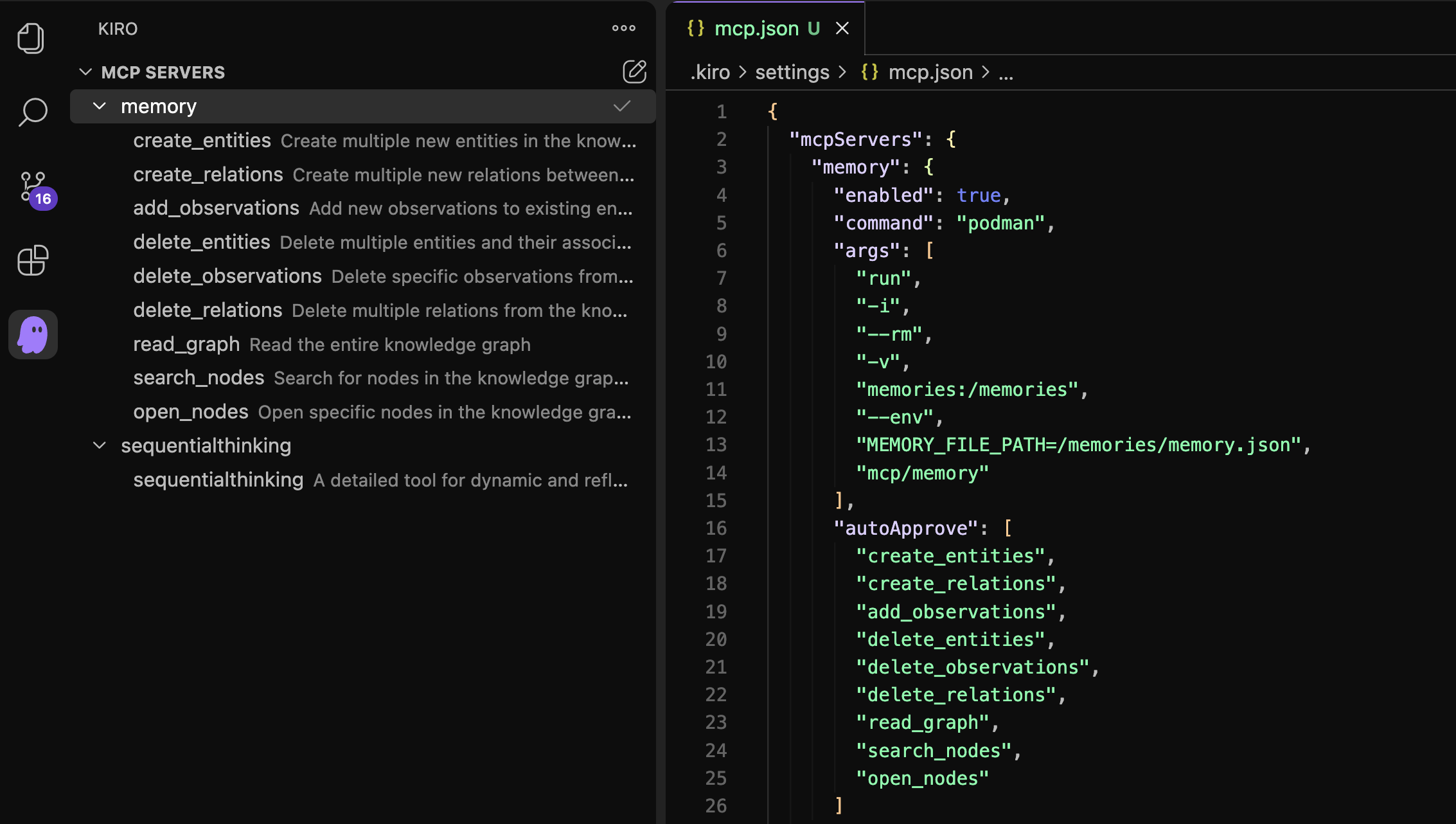
mcp.json에 아래와 같이 두 개의 서버 — memory와 sequentialthinking — 를 등록합니다.
{
  "mcpServers": {
    "memory": {
      "enabled": true,
      "command": "podman",
      "args": [
        "run", "-i", "--rm",
        "-v", "memories:/memories",
        "--env", "MEMORY_FILE_PATH=/memories/memory.json",
        "mcp/memory"
      ],
      "autoApprove": [
        "create_entities", "create_relations", "add_observations",
        "delete_entities", "delete_observations", "delete_relations",
        "read_graph", "search_nodes", "open_nodes"
      ]
    },
    "sequentialthinking": {
      "command": "podman",
      "args": ["run", "-i", "--rm", "mcp/sequentialthinking"],
      "autoApprove": ["sequentialthinking"]
    }
  }
}
- memory — 지식 그래프 형태로 장기 기억을 저장하고 조회하는 도구를 제공합니다. 데이터는 로컬 Podman 볼륨에 보존되므로 Kiro 세션이 바뀌어도 유지됩니다.
- sequentialthinking — 작업에 들어가기 전 Kiro가 단계별로 생각을 펼쳐 계획을 세울 수 있도록 도와줍니다.
2단계 — Kiro에게 기억을 남기게 하기
서버를 붙이는 것만으로는 부족합니다. Kiro가 언제 어떤 도구를 쓸지 알도록 steering 파일에 행동 지침을 적어 둡니다. .kiro/steering/behavior.md 파일을 만들고 다음 내용을 입력하세요.
Each time you start working, put a `user_request`
type entity into the knowledge graph using the `create_entities` tool.
After you work, add observations to that entity
about what you did, how many files you touched, how many lines, etc.
이제 Kiro에게 가벼운 작업을 하나 시켜 봅니다.
- 채팅창에 다음 프롬프트를 입력합니다: “Rewrite the README.md as if it was written by a pirate.”
- Kiro가 README를 해적풍 문체로 고쳐 쓰면서, 동시에
create_entities로 작업 기록을 지식 그래프에 남기는지 확인합니다. - 이어서 다음 프롬프트로 방금 남긴 기억을 활용해 봅니다: “Search nodes for user_request and write me a commit message based on what you see.”
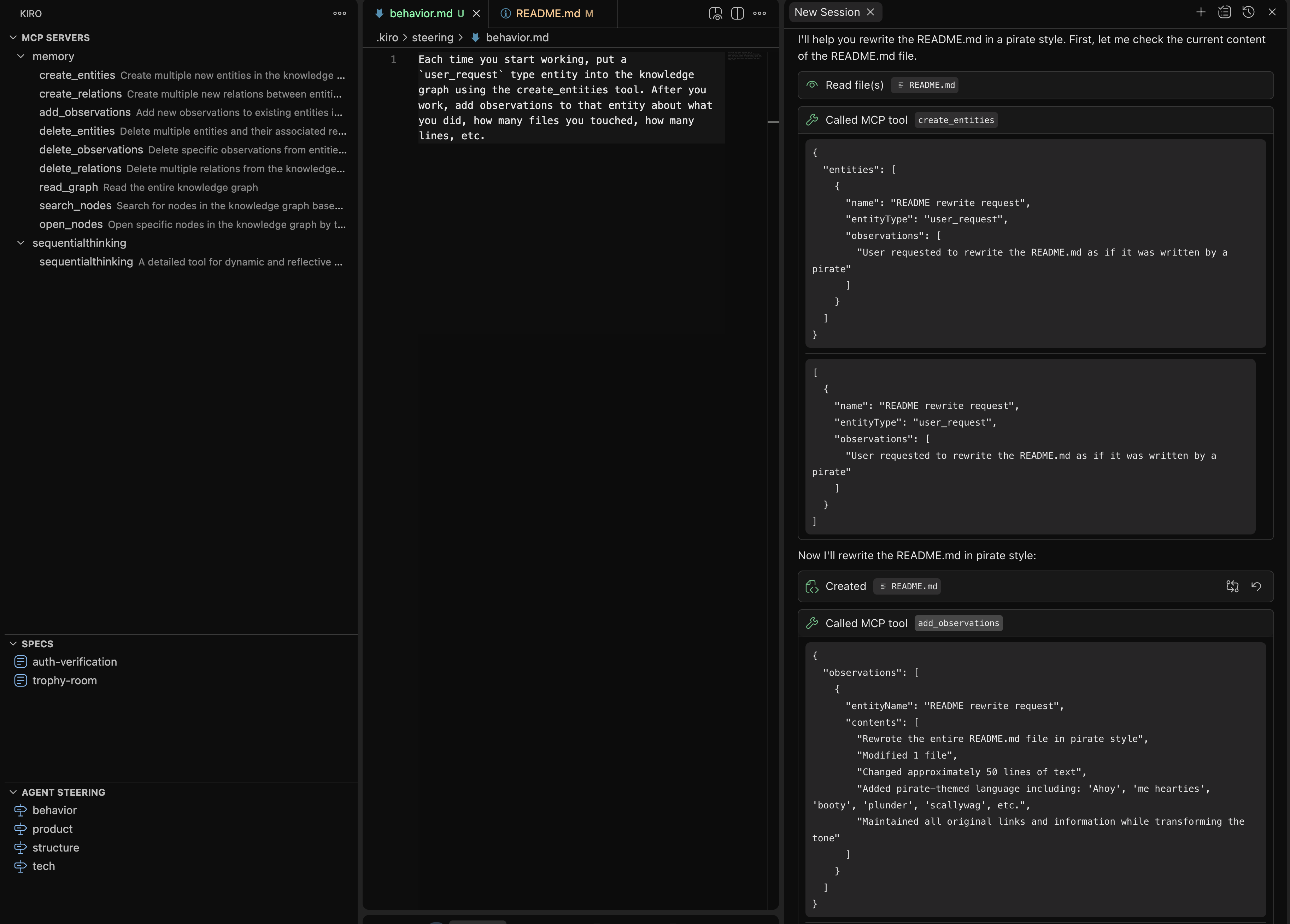
Kiro는 그래프에서 user_request 엔티티를 찾아 다음과 비슷한 커밋 메시지를 만들어 줍니다.
docs: transform README.md with pirate-themed language

- Rewrote entire README.md in pirate style
- Added nautical references and pirate slang throughout
- Maintained all original information and links
- Changed section titles to pirate-appropriate terms
- Added humorous pirate expressions and threats
- Preserved functionality while enhancing user experience with thematic language
3단계 — 사고 방식 자체를 바꾸기
이번에는 sequentialthinking 서버를 활용해 Kiro가 큰 작업에 들어가기 전 단계별 계획을 세우도록 합니다. 같은 .kiro/steering/behavior.md 파일에 다음 한 줄을 추가합니다.
When planning how to do something, use the sequentialthinking tool to plan the next several steps.
설정이 끝나면 Kiro에게 일부러 모호한 요청을 던져 봅니다.
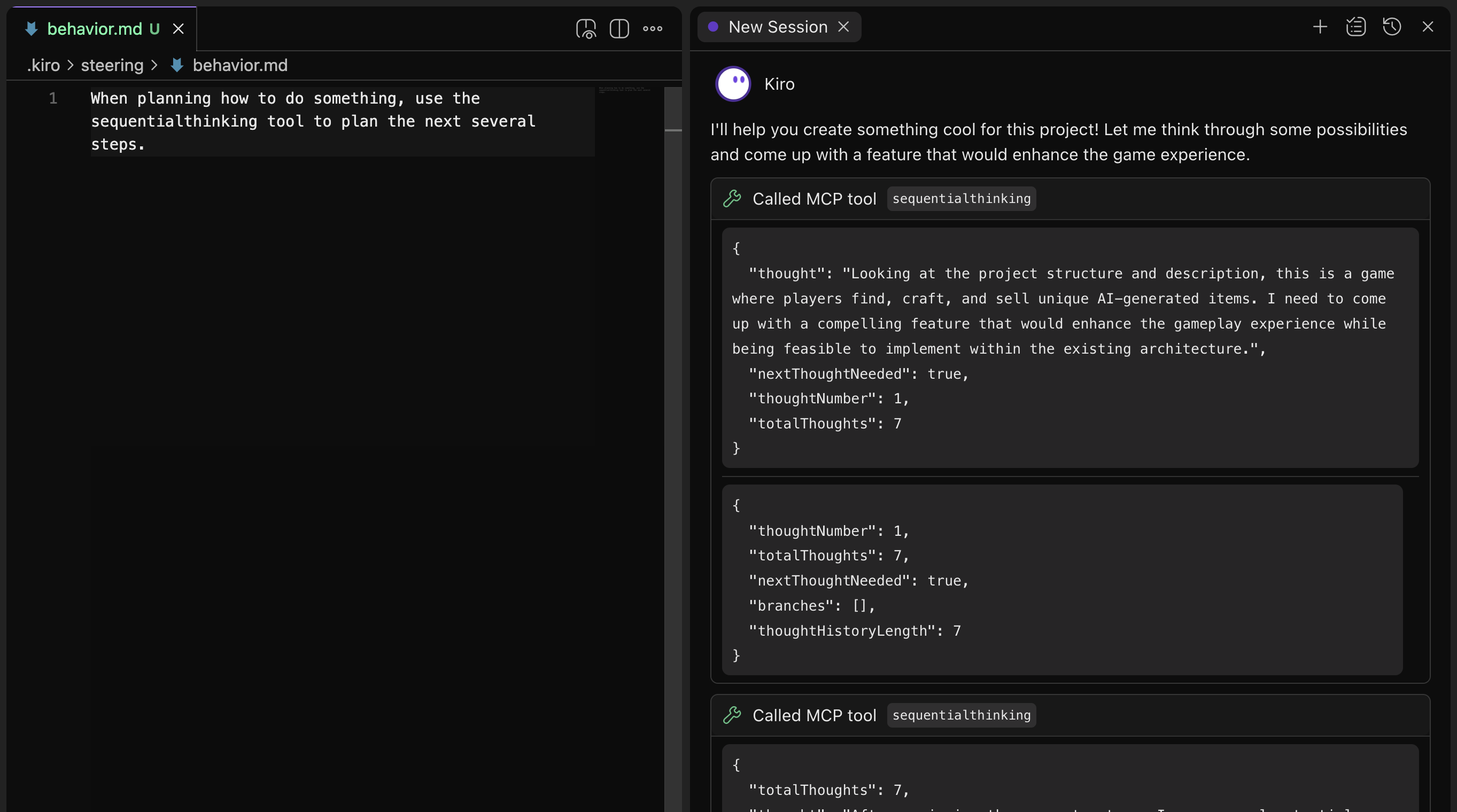
- 프롬프트: “Let's do something super cool in this project.”
- Kiro가 곧바로 코드를 건드리는 대신
sequentialthinking도구로 여러 단계를 펼쳐 계획을 세우는지 확인합니다.
autoApprove에 등록된 도구는 사용자 확인 없이 자동 실행됩니다. 파일 시스템이나 외부 네트워크에 영향을 주는 도구라면 자동 승인 목록에 넣기 전 신중히 검토하세요.
4단계 — 더 많은 MCP 서버 찾아보기
두 개의 서버만으로도 작업 패턴이 크게 달라지는 것을 보았습니다. 아래 두 곳에서 더 많은 서버를 둘러볼 수 있습니다.
- Awesome MCP Servers — 커뮤니티가 큐레이션한 MCP 서버 모음
- AWS MCP Servers — AWS 서비스와 연동되는 공식 MCP 서버
핵심 정리
- MCP는 Kiro에 도구·컨텍스트·행동을 더하는 표준 프로토콜입니다.
- Steering 파일(
.kiro/steering/*.md)은 Kiro가 어느 상황에서 어떤 도구를 쓸지 알려 줍니다. - memory 서버는 지식 그래프 기반의 장기 기억을, sequentialthinking 서버는 단계적 계획 능력을 제공합니다.
- Podman 같은 컨테이너 런타임으로 MCP 서버를 격리하면 호스트 환경을 깨끗하게 유지할 수 있습니다.