06. Agent Hooks로 자산 관리
반복되는 보일러플레이트 작업을 Agent Hooks로 자동화해, 자산을 추가하거나 삭제할 때 인덱스 파일이 자동으로 갱신되도록 만듭니다.
이번 모듈의 목표
지금까지의 모듈에서는 홈페이지 개선, 물리 엔진 버그 수정, 상호작용 로직 리팩터링, DRY 리팩터링, 그리고 Spec mode를 활용한 복잡한 기능 구현을 다뤘습니다. 이번 모듈에서는 시점을 바꿔, 코드 작성 자체보다 매번 잊기 쉬운 부수 작업을 Kiro가 대신 처리하도록 자동화 장치를 심어 봅니다.
1단계: 문제 상황 이해하기
client/src/systems/preloader-system.ts를 열어 보세요. 게임이 시작되기 전에 모든 자산을 미리 내려받는 독립적인 시스템으로, 인증 화면이 떠 있는 동안 사전 다운로드를 시작하고 서버 이벤트로 새 자산을 감지하는 기능까지 포함되어 있습니다.
이 시스템은 /client/src/assets/index.ts에서 정적으로 가져온 자산 목록에 의존합니다. 모듈 간 결합을 줄이는 깔끔한 설계지만, 한 가지 약점이 있습니다. 새로운 컴포넌트를 추가하면서 자산 파일을 함께 등록하는 일을 누군가 깜빡 잊는 순간 곧장 버그가 됩니다. 바로 이 지점을 Agent Hooks로 메워 봅니다.
2단계: 자산 인덱서 훅 만들기
- IDE 사이드바의 ghost 아이콘을 눌러 Kiro 패널을 엽니다.
- Agent Hooks 섹션을 찾습니다.
- plus 아이콘을 눌러 새 훅을 만듭니다.
- 아래와 같이 자연어 프롬프트로 의도를 설명합니다.
"When a file is created in the assets folder, ensure that the assets folder index.ts file is appropriately updated"
Kiro는 이 자연어 설명을 실제 훅 설정으로 변환해 .kiro/hooks 폴더에 저장합니다.
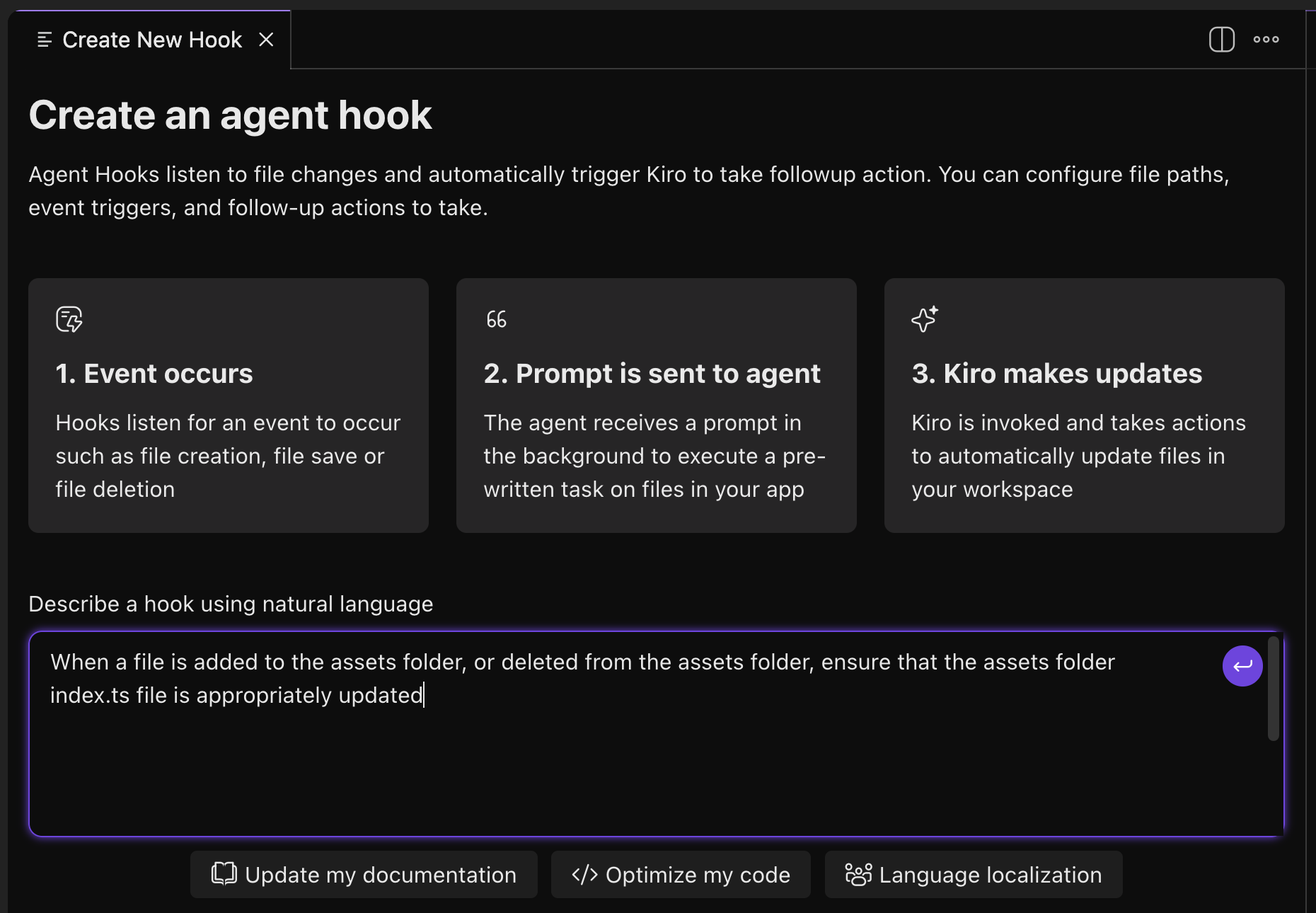
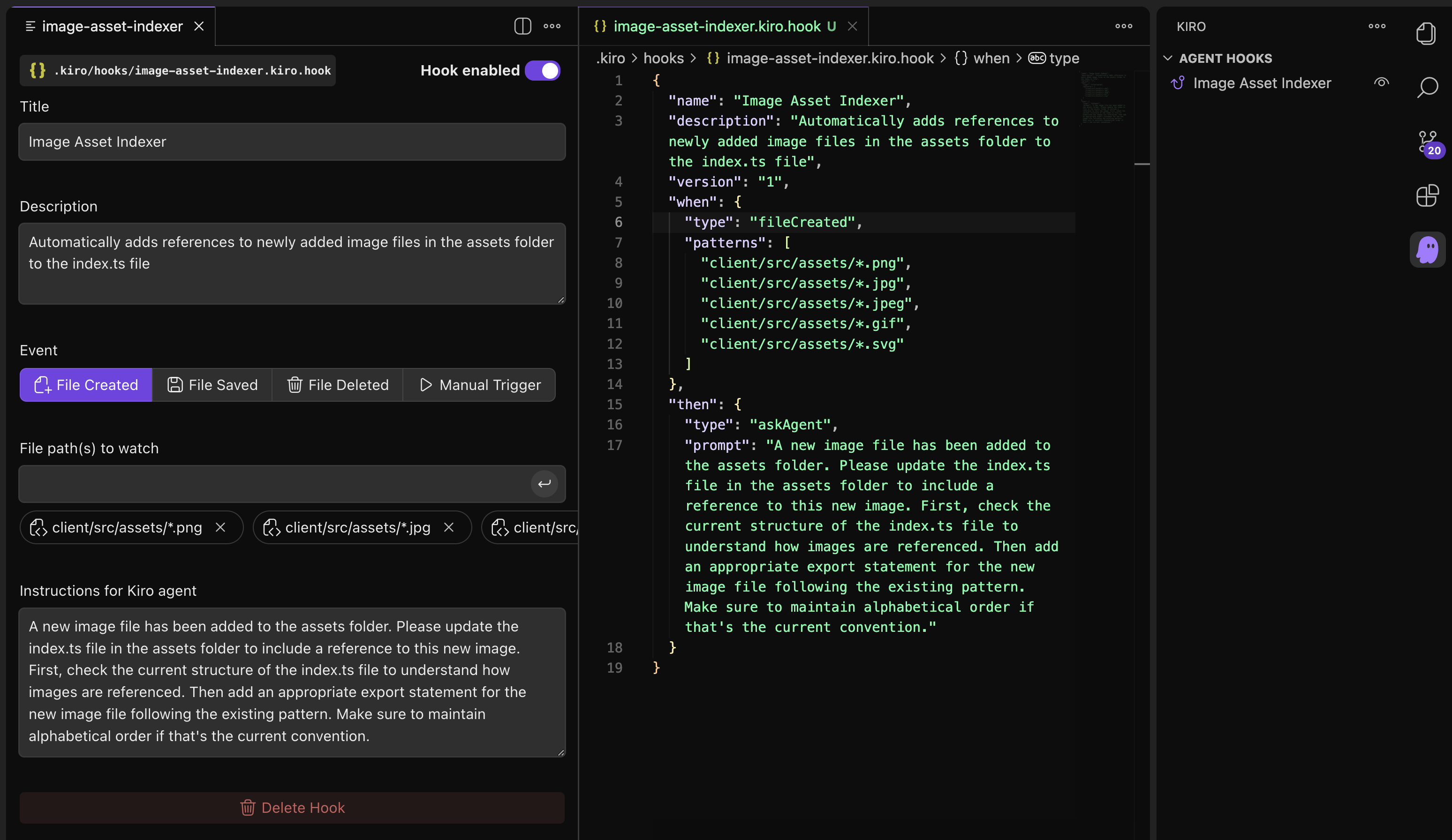
생성되는 훅 설정 예시는 다음과 같습니다.
{
  "name": "Image Asset Indexer",
  "description": "Automatically adds references to newly added image files in the assets folder to the index.ts file",
  "version": "1",
  "when": {
    "type": "fileCreated",
    "patterns": [
      "client/src/assets/*.png",
      "client/src/assets/*.jpg",
      "client/src/assets/*.jpeg",
      "client/src/assets/*.gif",
      "client/src/assets/*.svg"
    ]
  },
  "then": {
    "type": "askAgent",
    "prompt": "A new image file has been added to the assets folder. Please update the index.ts file in the assets folder to include a reference to this new image. First, check the current structure of the index.ts file to understand how images are referenced. Then add an appropriate export statement for the new image file following the existing pattern. Make sure to maintain alphabetical order if that's the current convention."
  }
}
3단계: 자산 제거 훅 만들기
훅은 UI를 거치지 않고 .kiro/hooks에 파일을 직접 추가해서도 만들 수 있습니다. 인덱서 훅을 복제해 image-asset-remover.kiro.hook으로 저장한 뒤 아래 내용을 넣으세요.
{
  "name": "Image Asset Remover",
  "description": "Automatically removes references to newly deleted image files in the assets folder to the index.ts file",
  "version": "1",
  "when": {
    "type": "fileDeleted",
    "patterns": [
      "client/src/assets/*.png",
      "client/src/assets/*.jpg",
      "client/src/assets/*.jpeg",
      "client/src/assets/*.gif",
      "client/src/assets/*.svg"
    ]
  },
  "then": {
    "type": "askAgent",
    "prompt": "An image file has been removed from the assets folder. Please update the index.ts file in the assets folder to remove any references to this removed image."
  }
}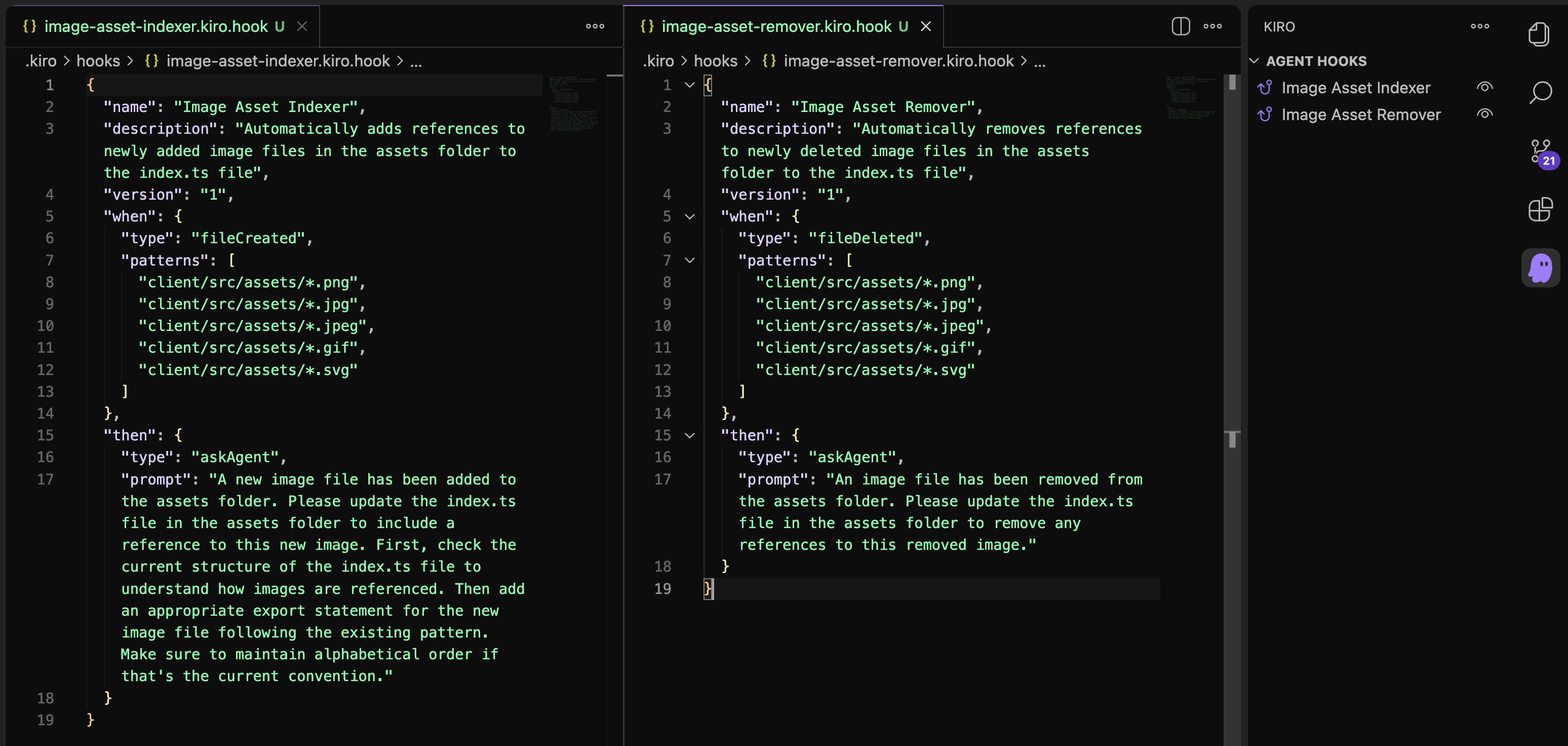
여기까지 진행하면 Kiro 패널의 Agent Hooks 영역에 두 개의 훅 설정과 두 개의 훅이 나란히 보입니다.
4단계: 훅 동작 확인하기
- 이미지 파일을
client/src/assets에 끌어다 놓으면 인덱서 훅이 실행됩니다. - 같은 파일을 삭제하면 제거 훅이 실행됩니다.
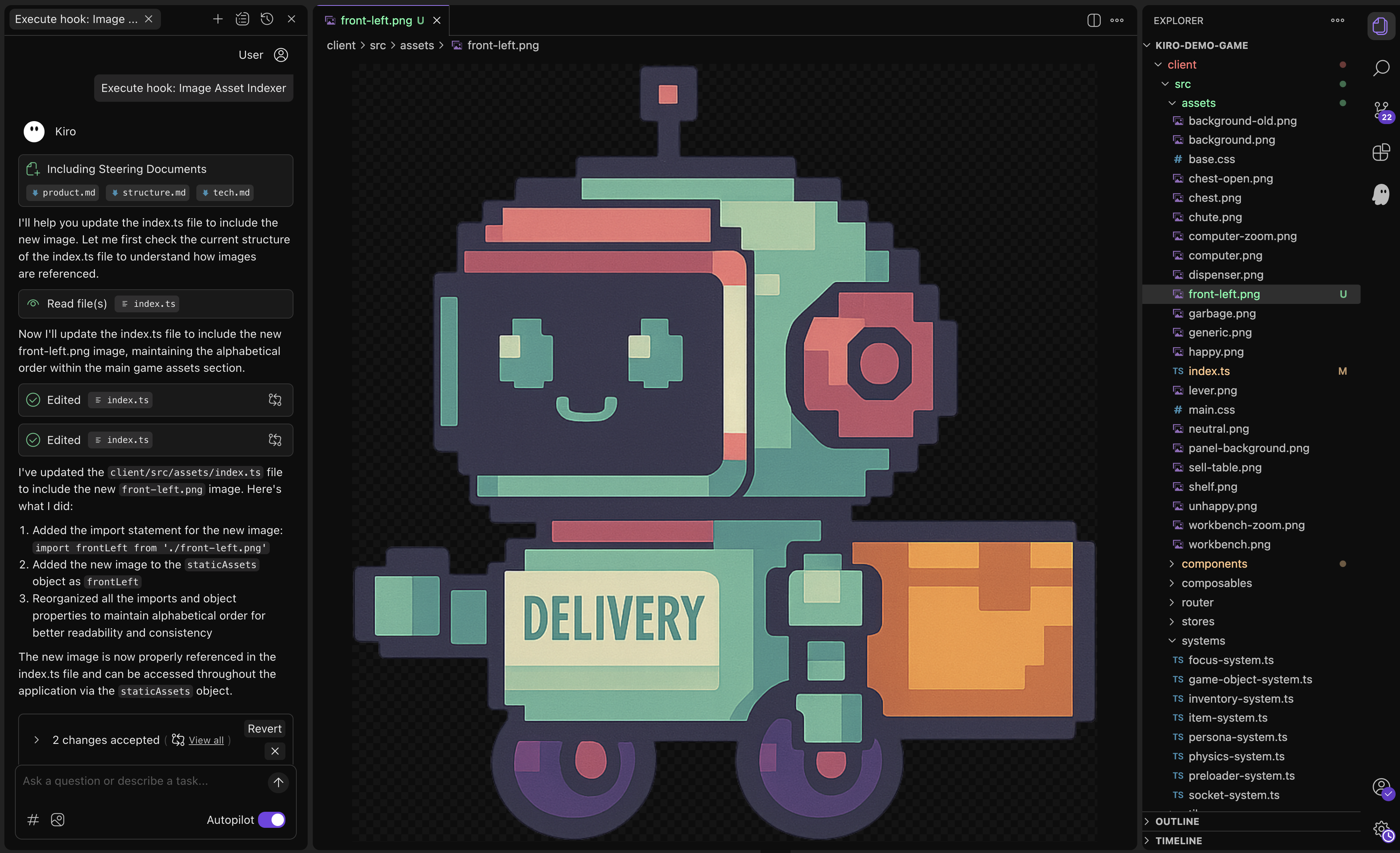
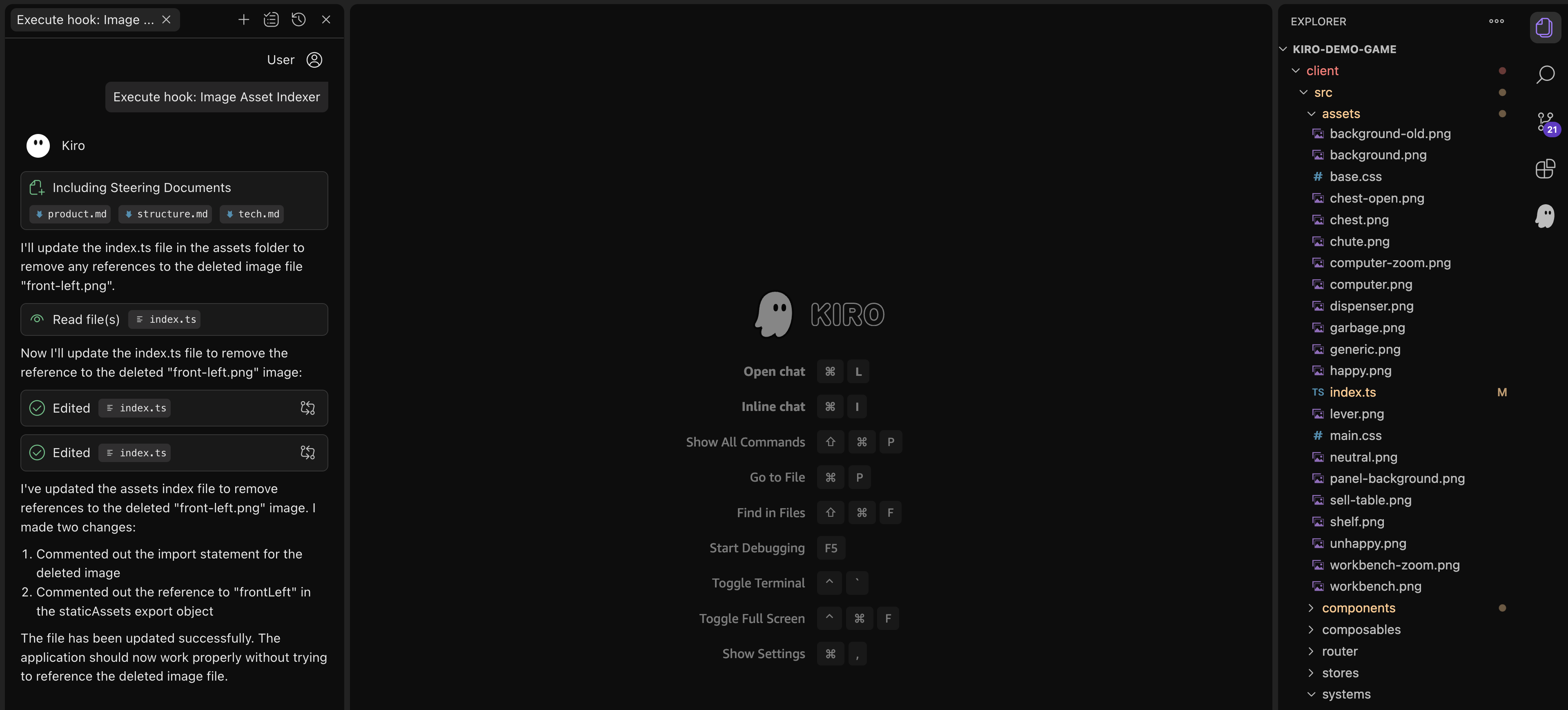
훅이 만들어 내는 Agent의 대화 내용을 확인하려면 채팅 패널 상단의 Task list 버튼을 누르고 진행 중인 Current Task를 선택합니다. 이미 끝난 훅의 기록은 History 버튼에서 다시 볼 수 있습니다.
정리
Agent Hooks는 파일 시스템 이벤트를 트리거로 삼아 Agent에게 정해진 프롬프트를 실행시키는 자동화 장치입니다. 단순한 인덱스 갱신처럼 잊기 쉬운 작업을 IDE 자체에 위임하면, 사람이 코드 작성에 집중하는 동안 보일러플레이트가 알아서 따라옵니다. 다음 모듈에서는 외부 도구와 데이터를 끌어들여 Kiro의 능력을 더 확장하는 MCP를 살펴봅니다.